CO-OP Training Experience
A two-month IT training experience at Alfanar Projects built around self-directed learning, technical research, data visualization, Microsoft Power Platform, SharePoint, automation, and SPFx development.
Two months of learning by building.
The experience was highly self-directed. I moved from research and documentation to hands-on experimentation, then turned that learning into dashboards, technical presentations, automated workflows, and working service portals.
Power BI Inventory Dashboard
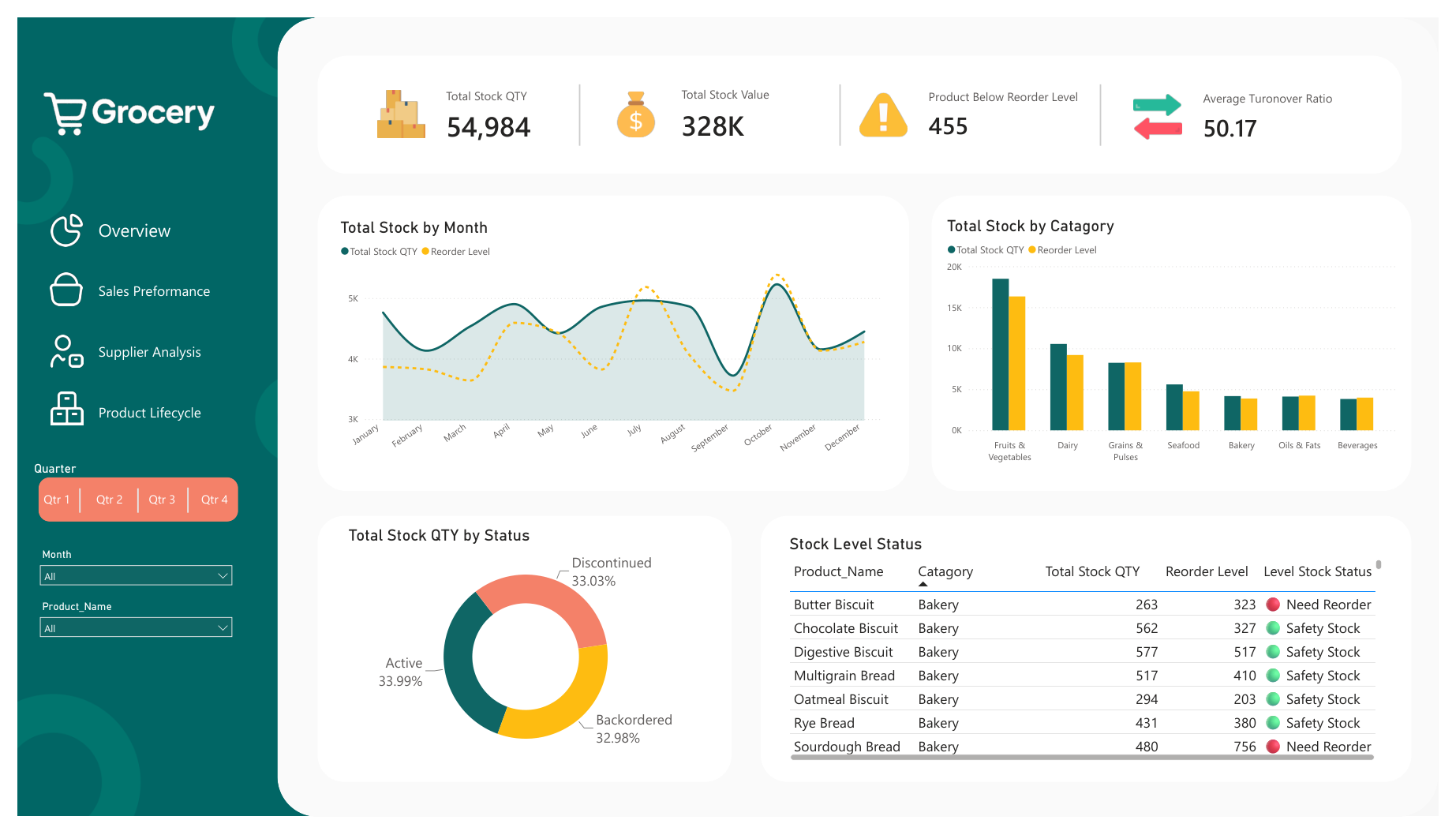
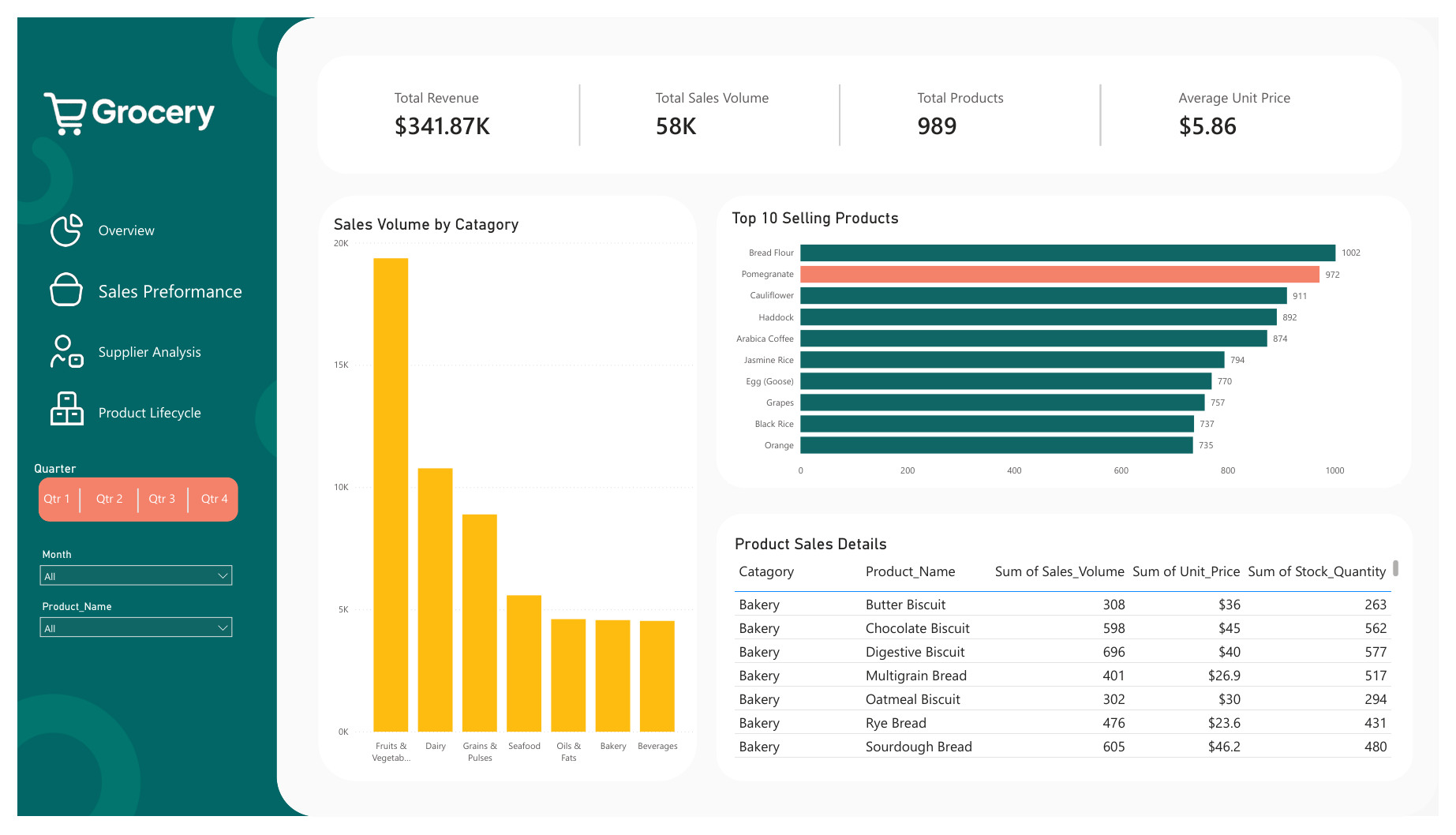
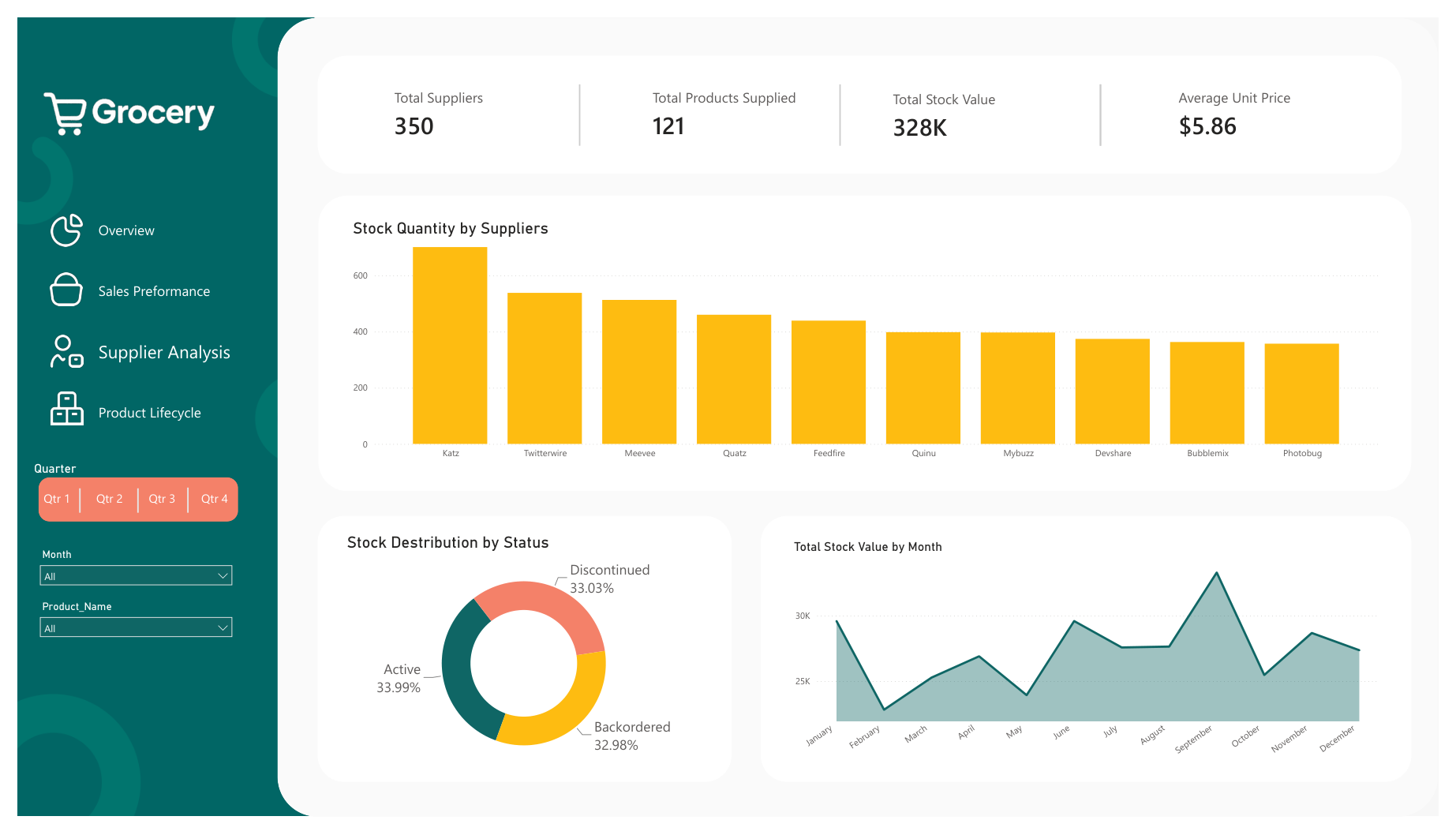
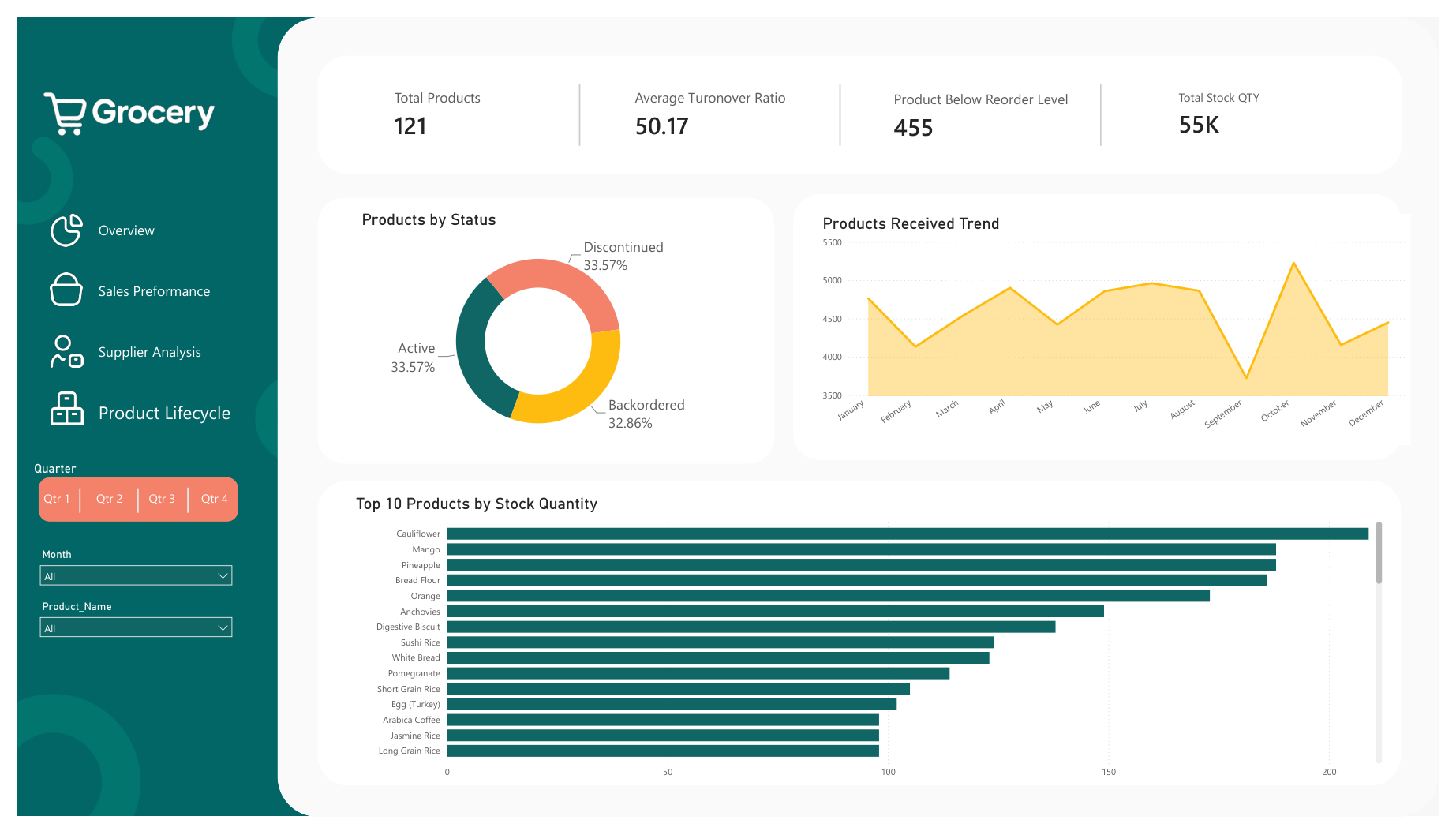
I built a four-page inventory dashboard covering overview, sales performance, supplier analysis, and product lifecycle. The work focused on KPI design, filtering, and turning raw data into a clearer operational view.
From raw inventory data to decision-ready visuals
The final dashboard brings together stock quantity, stock value, reorder levels, turnover, sales, suppliers, and product status in one consistent interface.
Help Desk Research
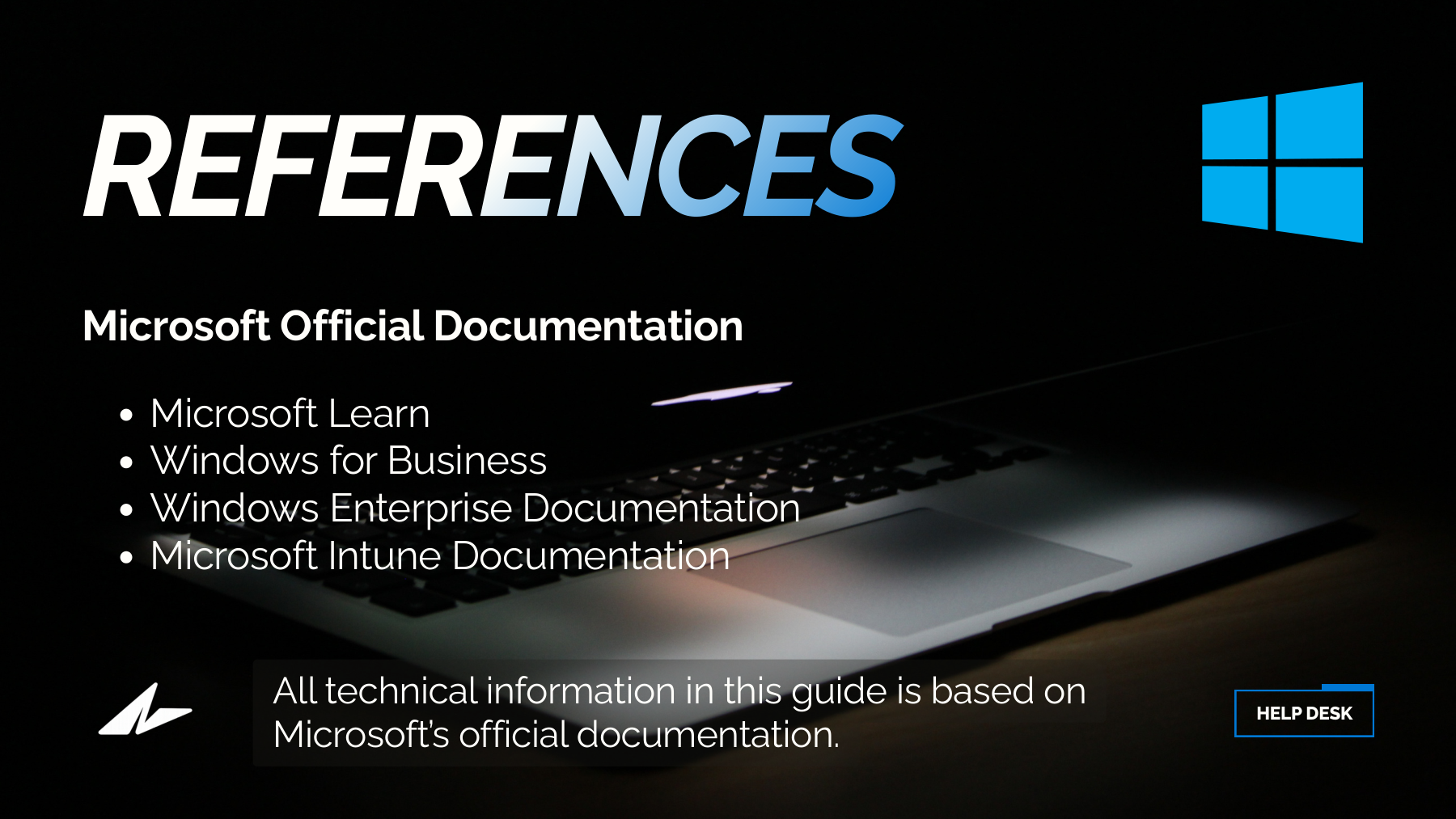
I researched common Help Desk technologies and Windows environments, then translated the findings into concise visual presentations and one interactive web experience.
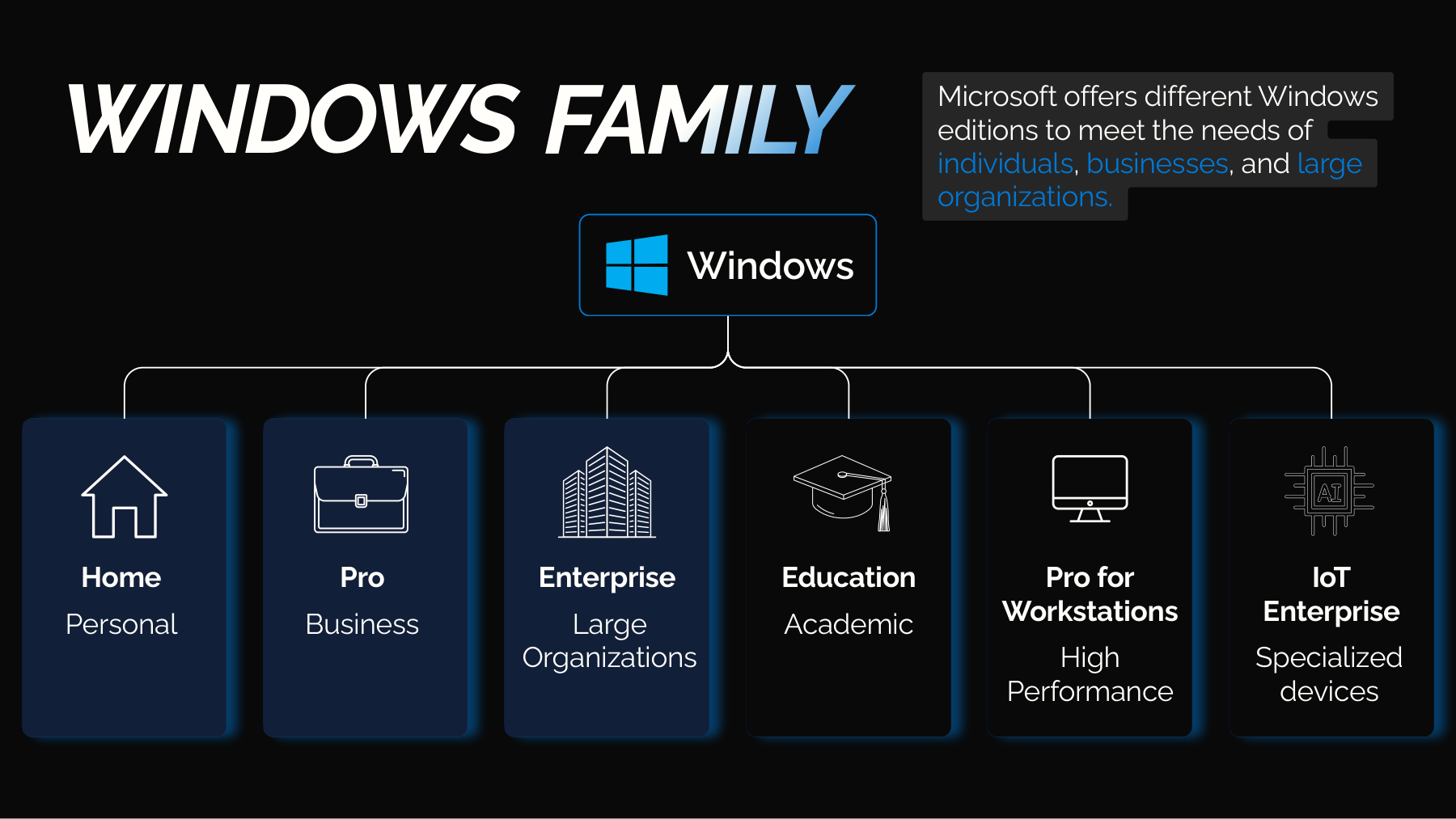
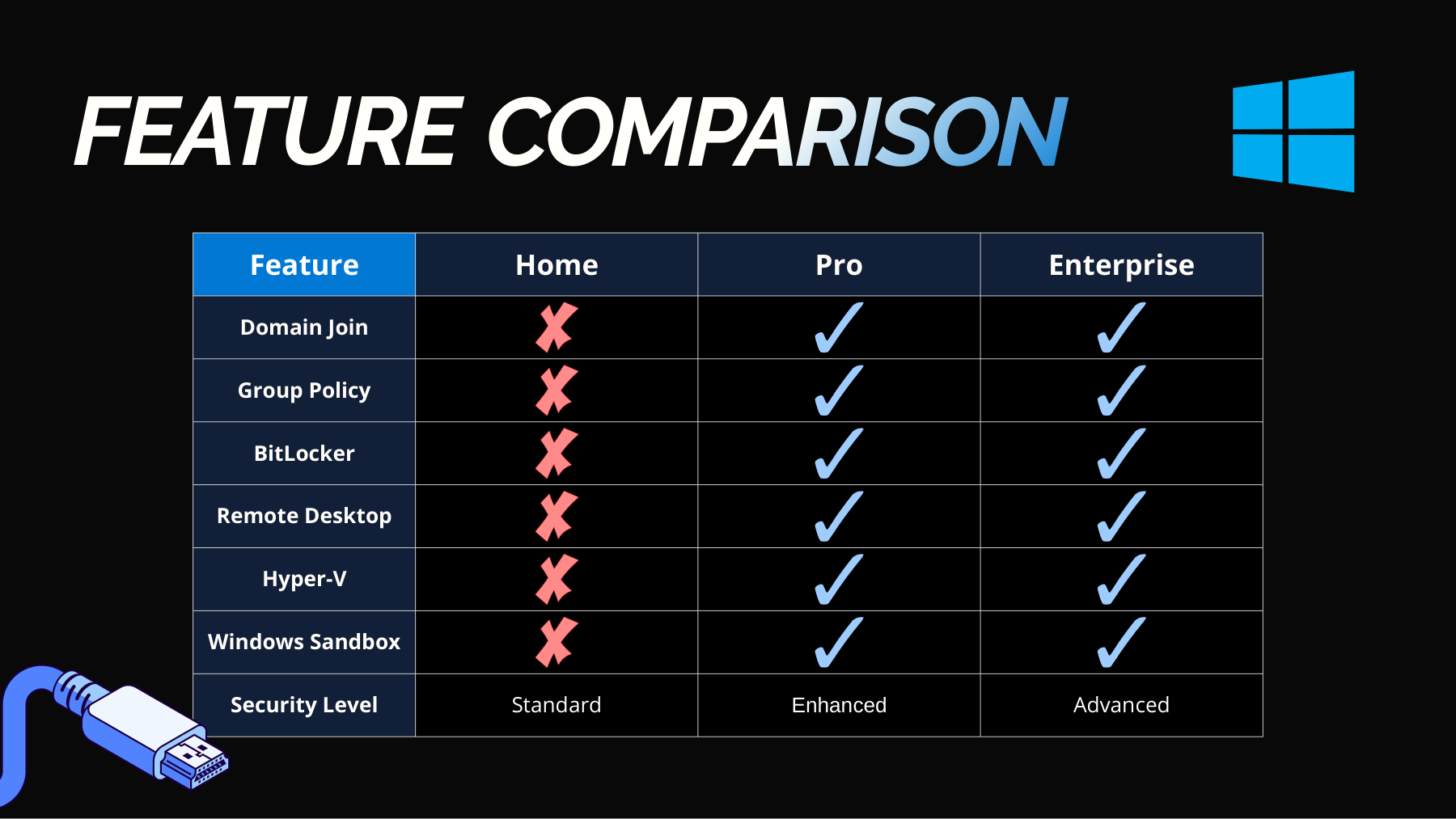
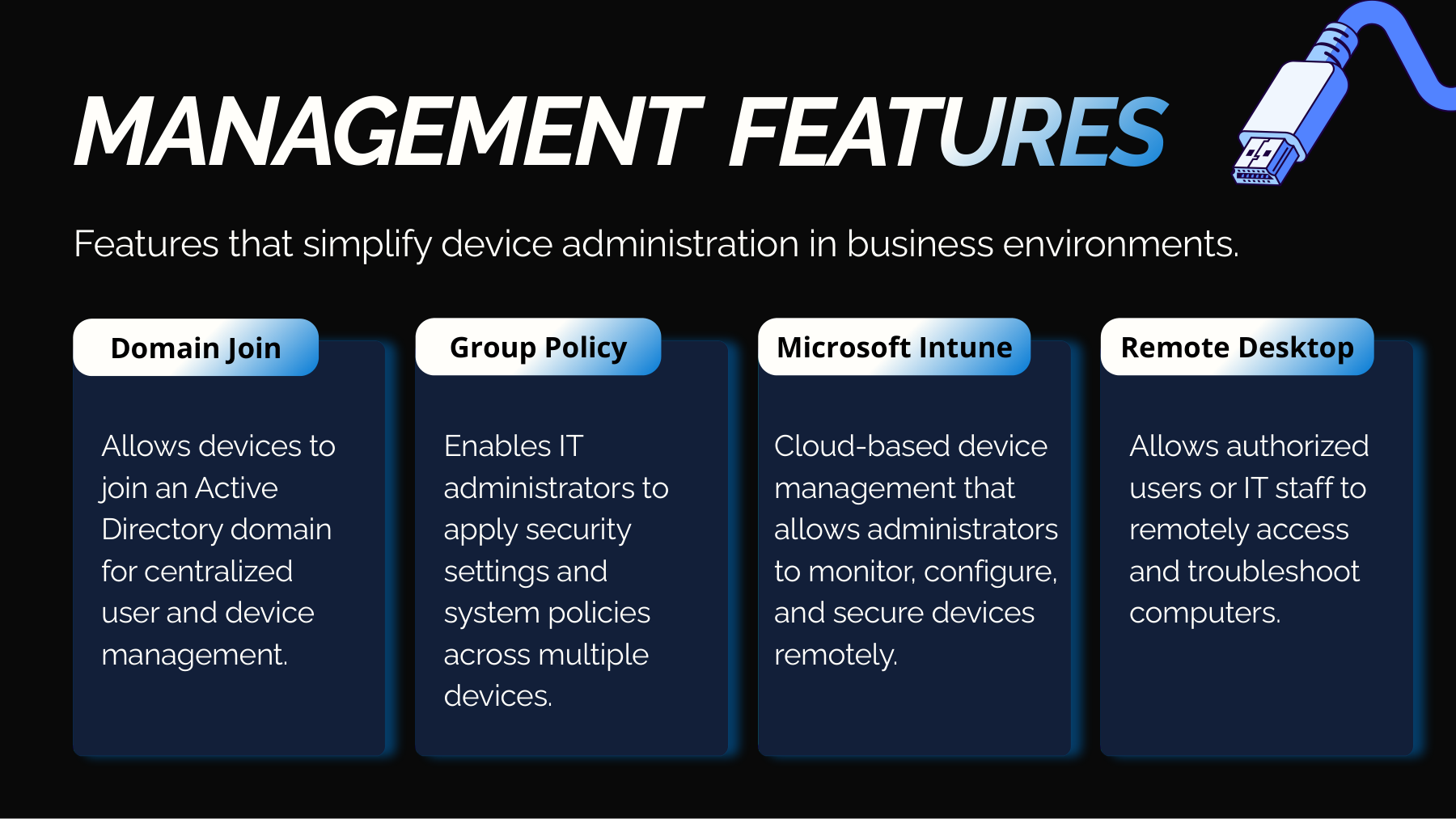
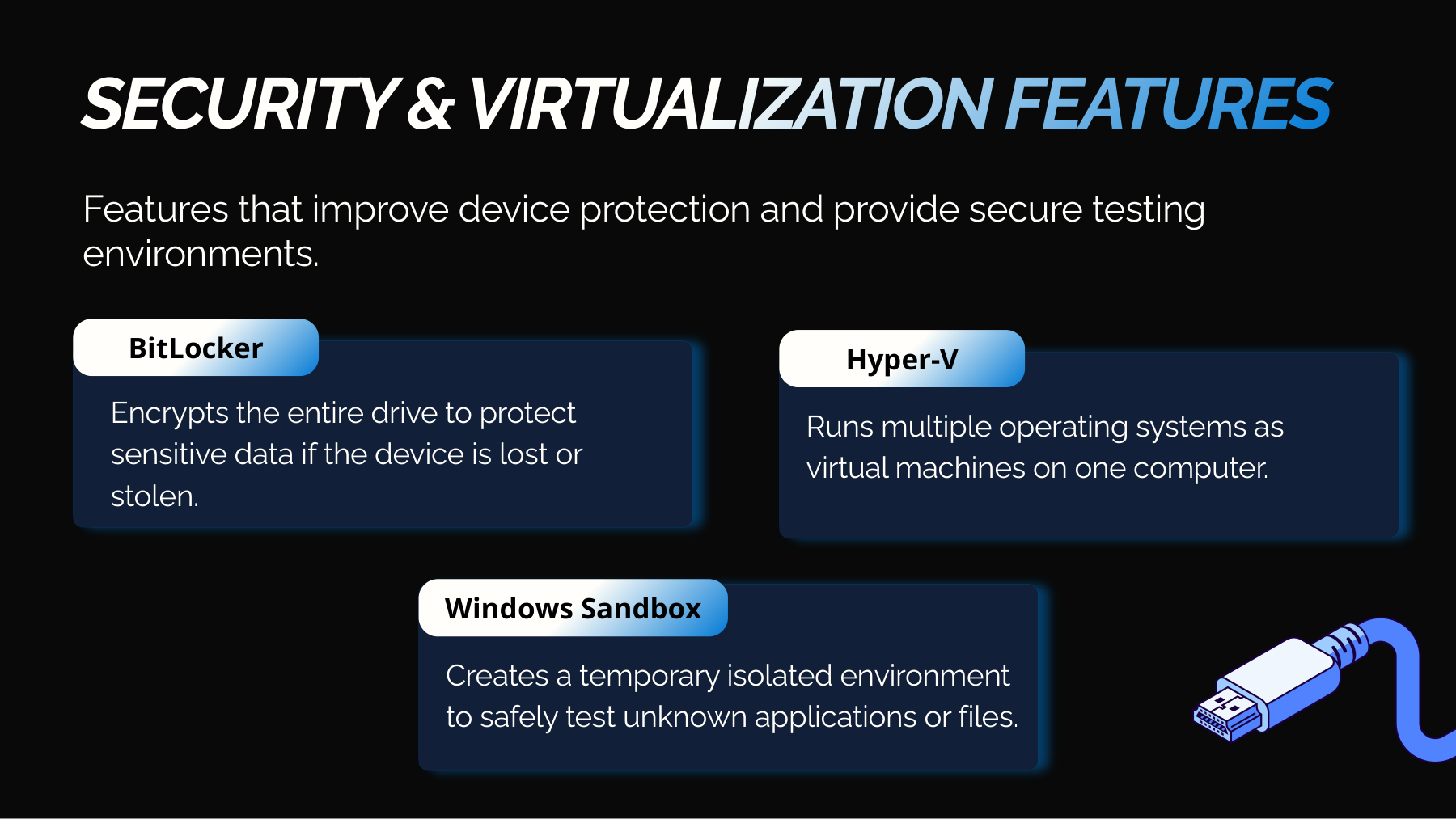
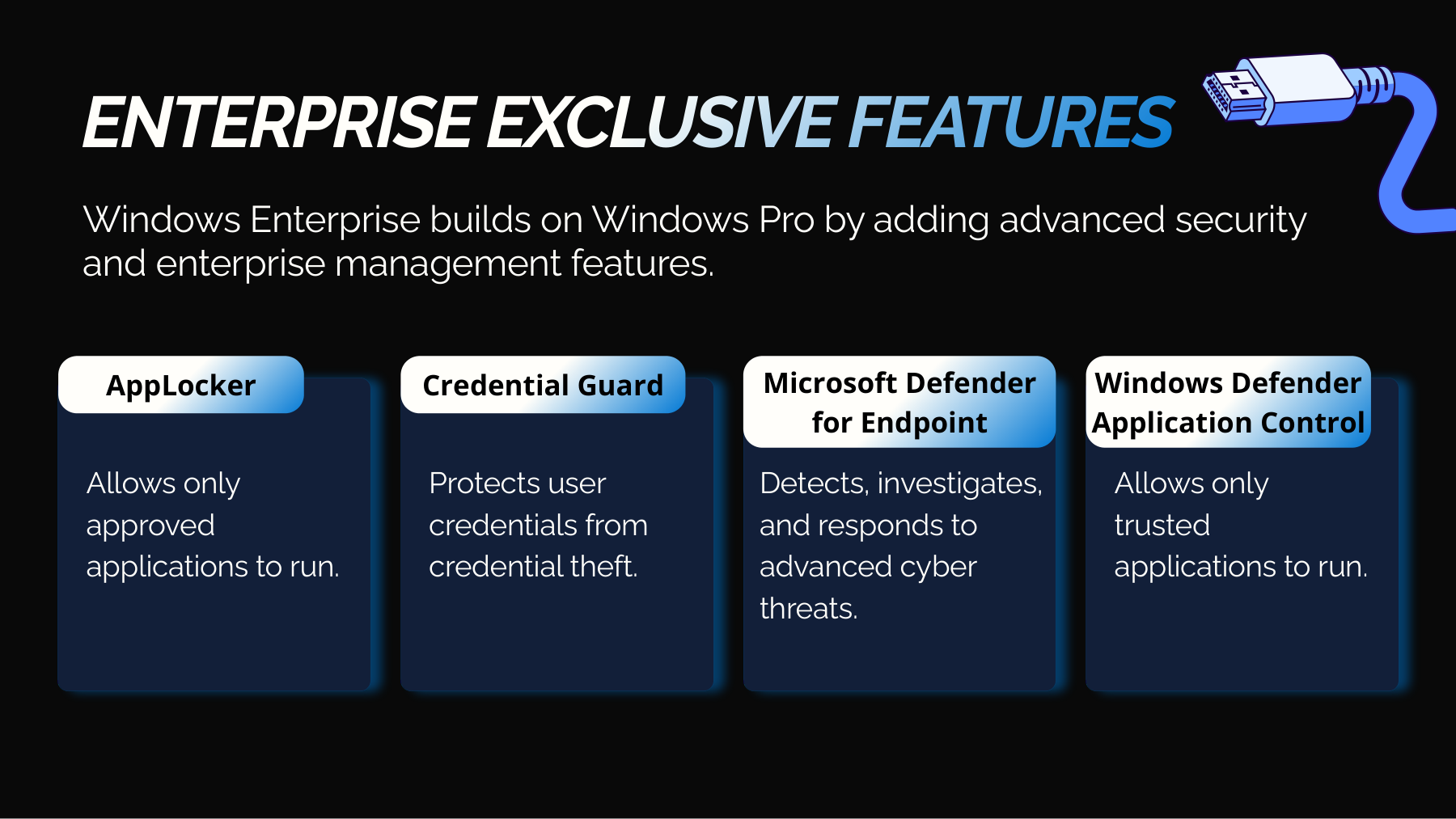
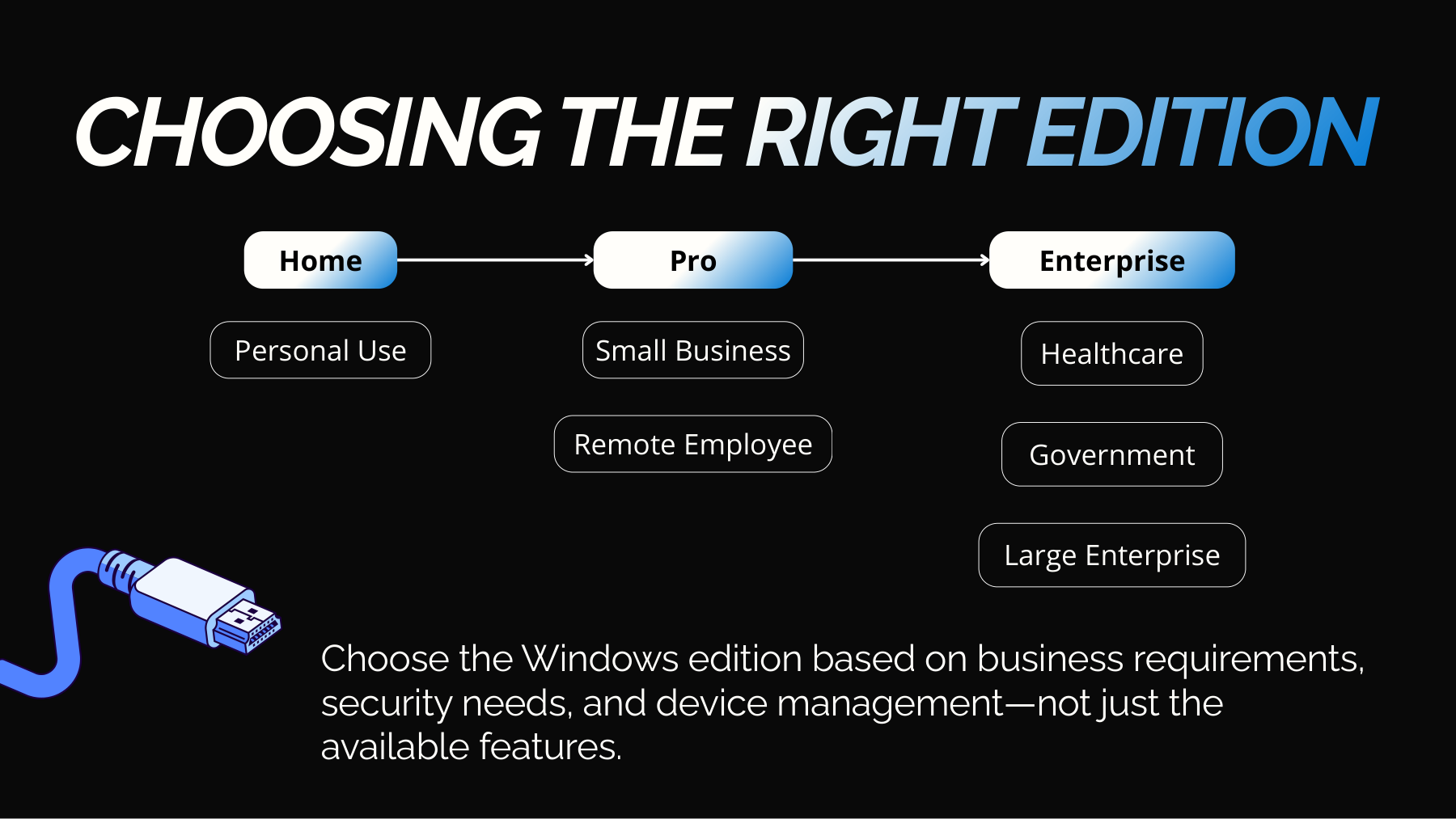
Windows Editions
A focused comparison of Home, Pro, and Enterprise editions, including management, security, virtualization, and practical business use cases.
View full presentation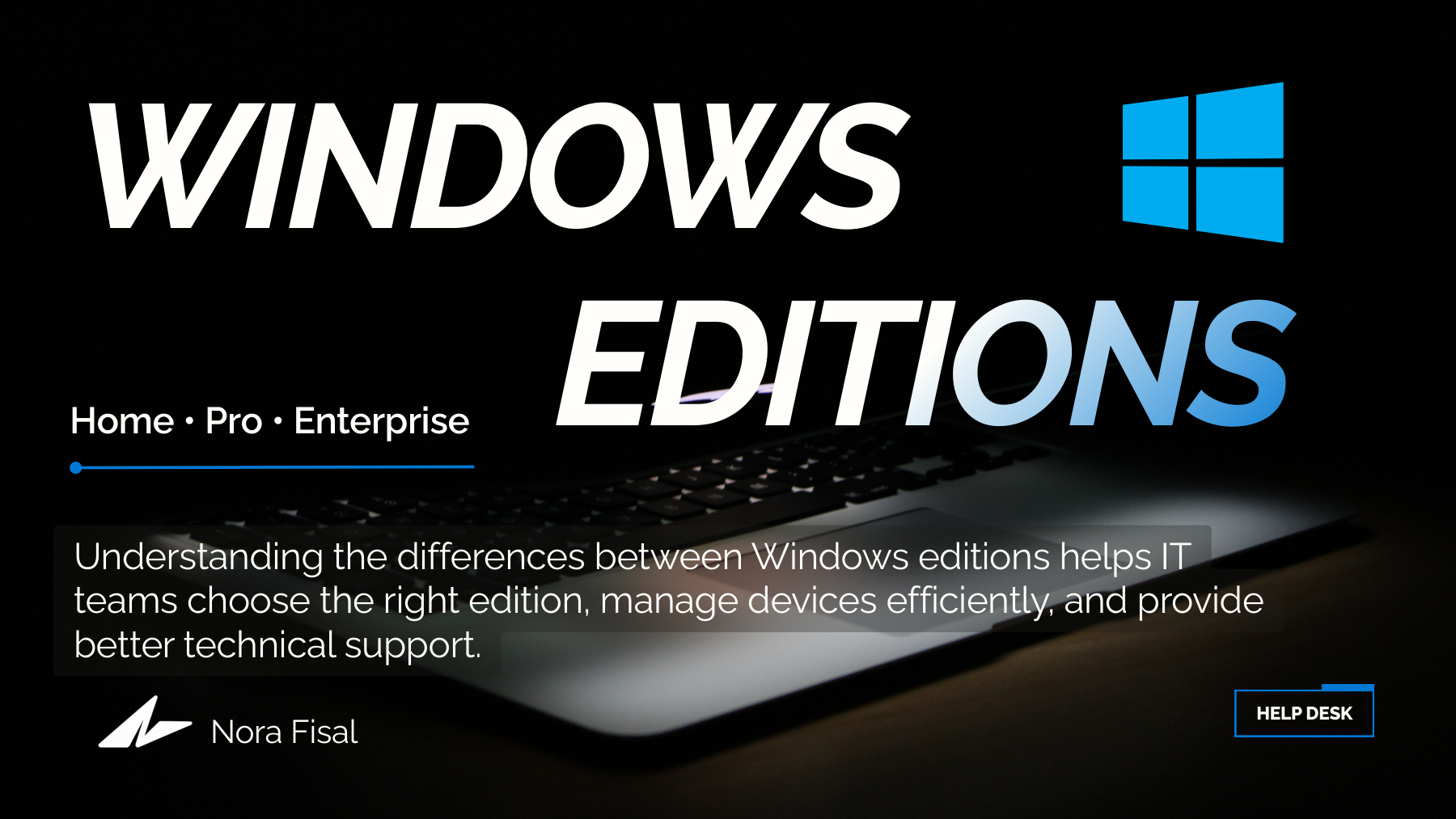
From Power Apps to SPFx
The main technical project evolved across four connected tools. Instead of treating them as separate tasks, I used each one as a layer of the same IT service request solution.
IT Service Request App
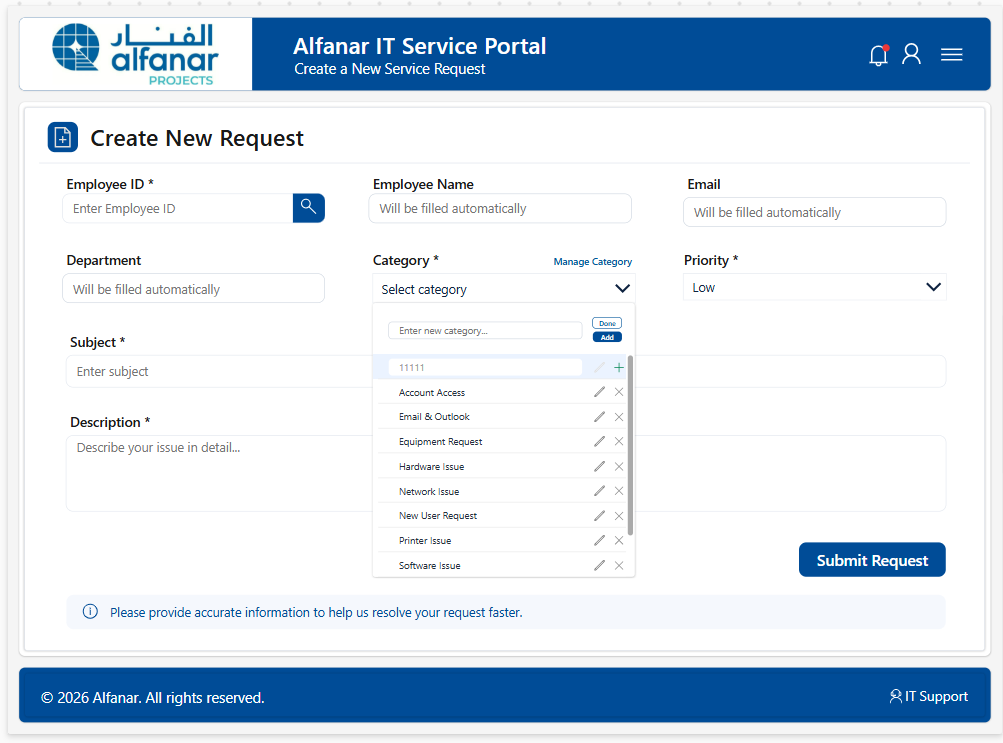
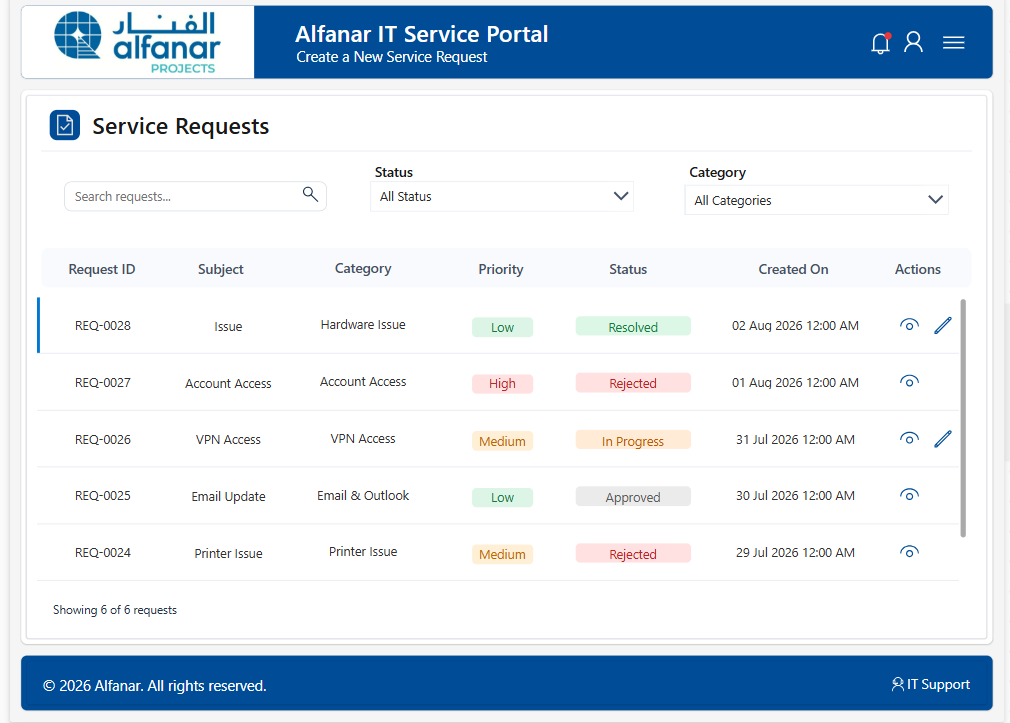
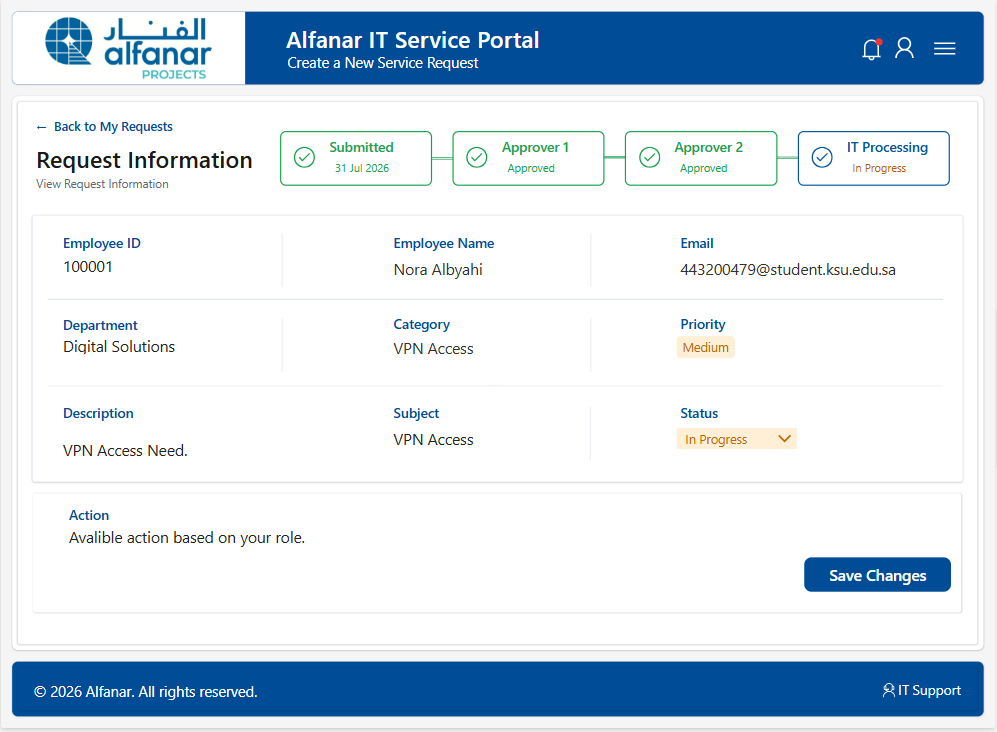
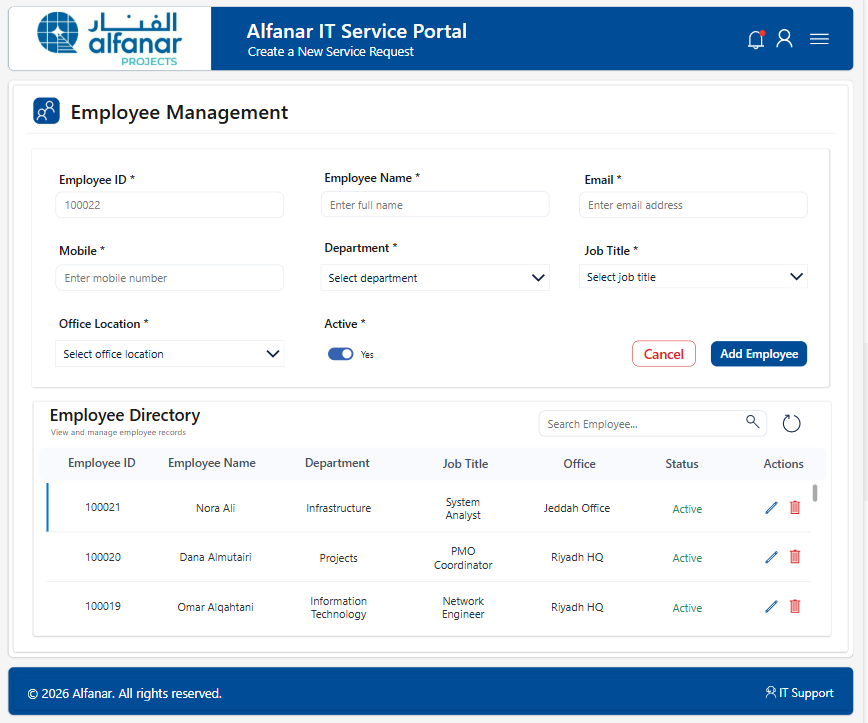
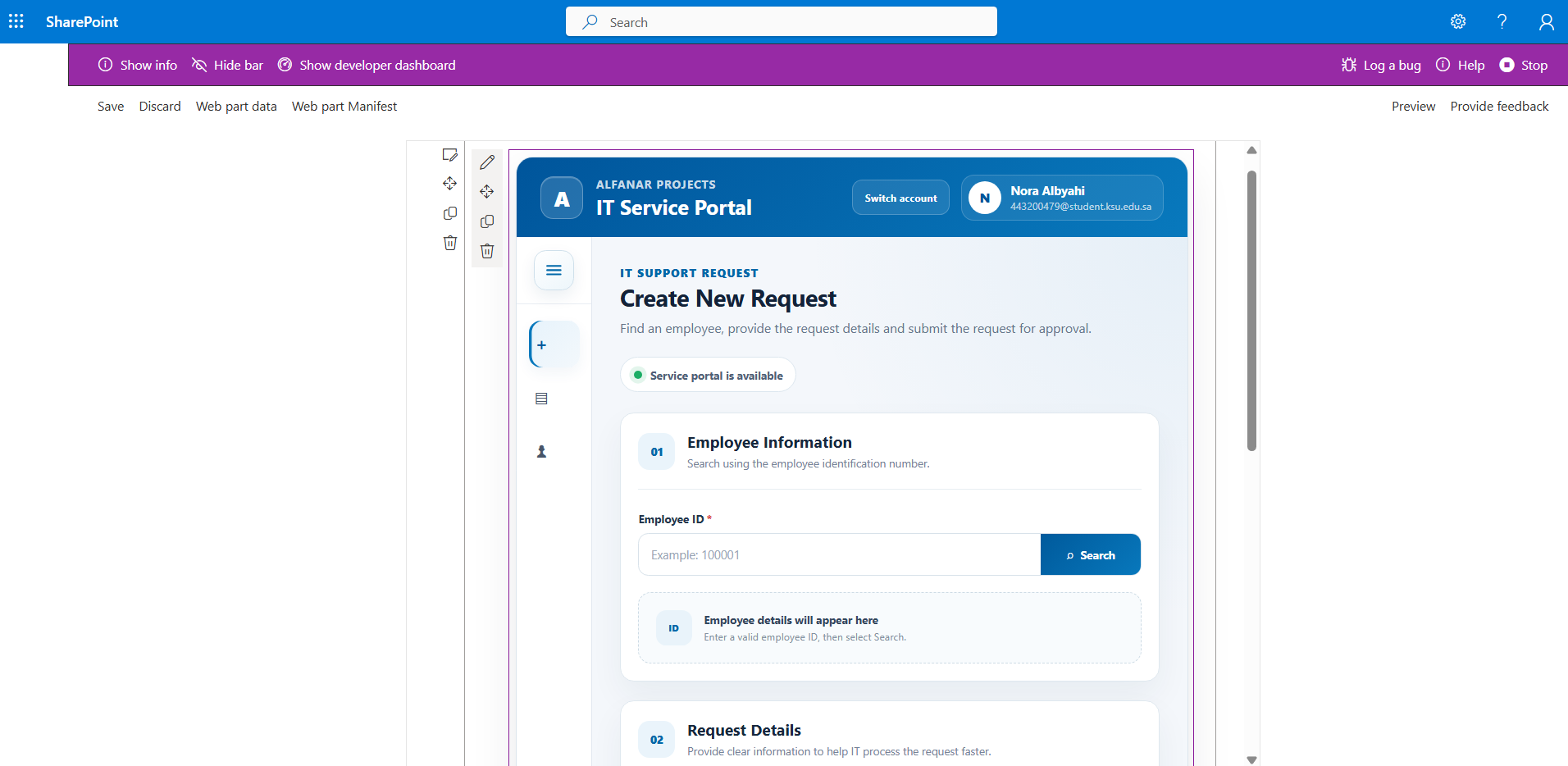
Built the user-facing request experience with employee lookup, request creation, searchable records, request details, category management, and employee management.
Data & System Structure
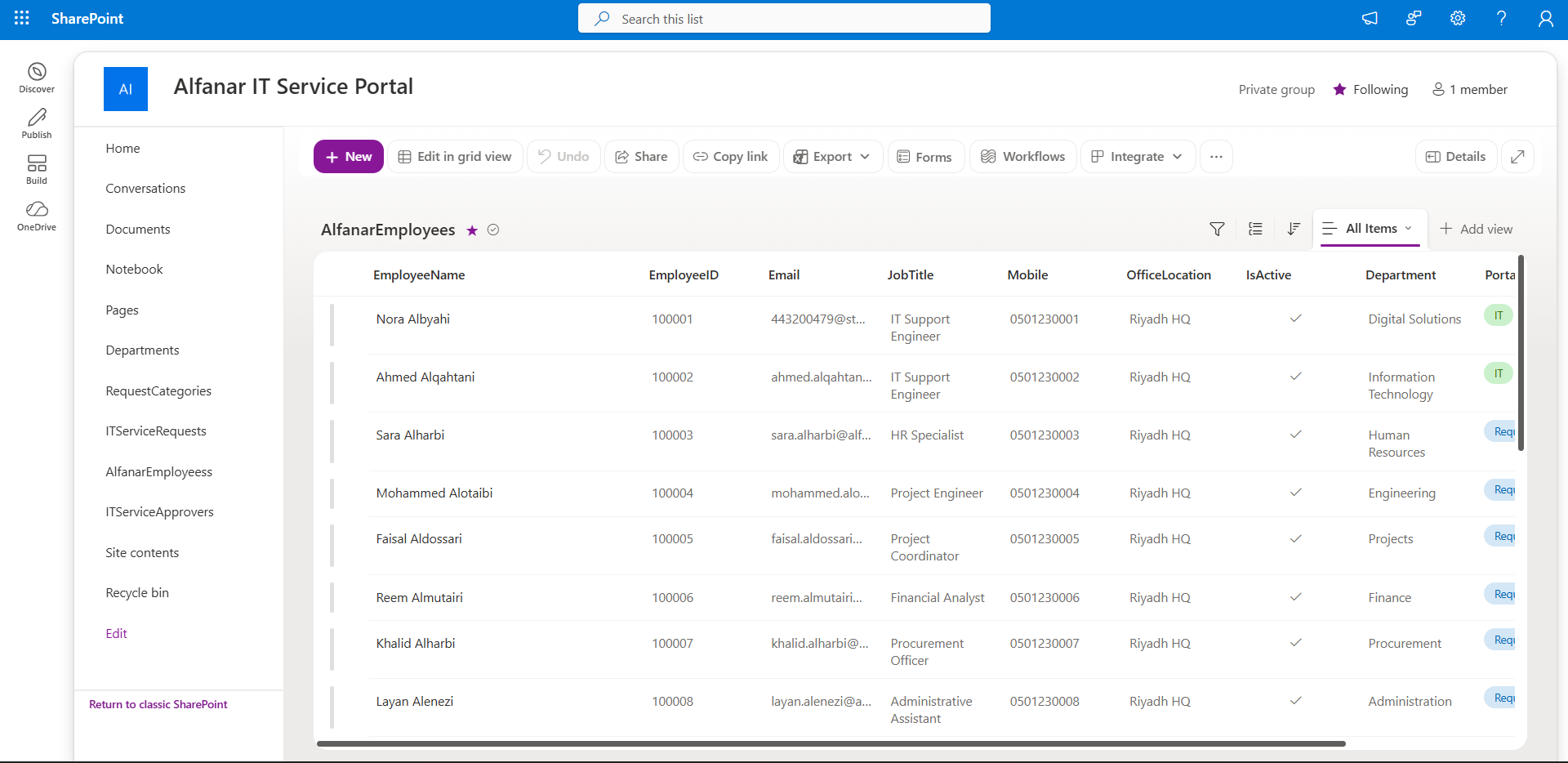
Structured the data layer using multiple SharePoint lists rather than one table, separating employees, departments, request categories, service requests, and approvers.
Workflow Automation
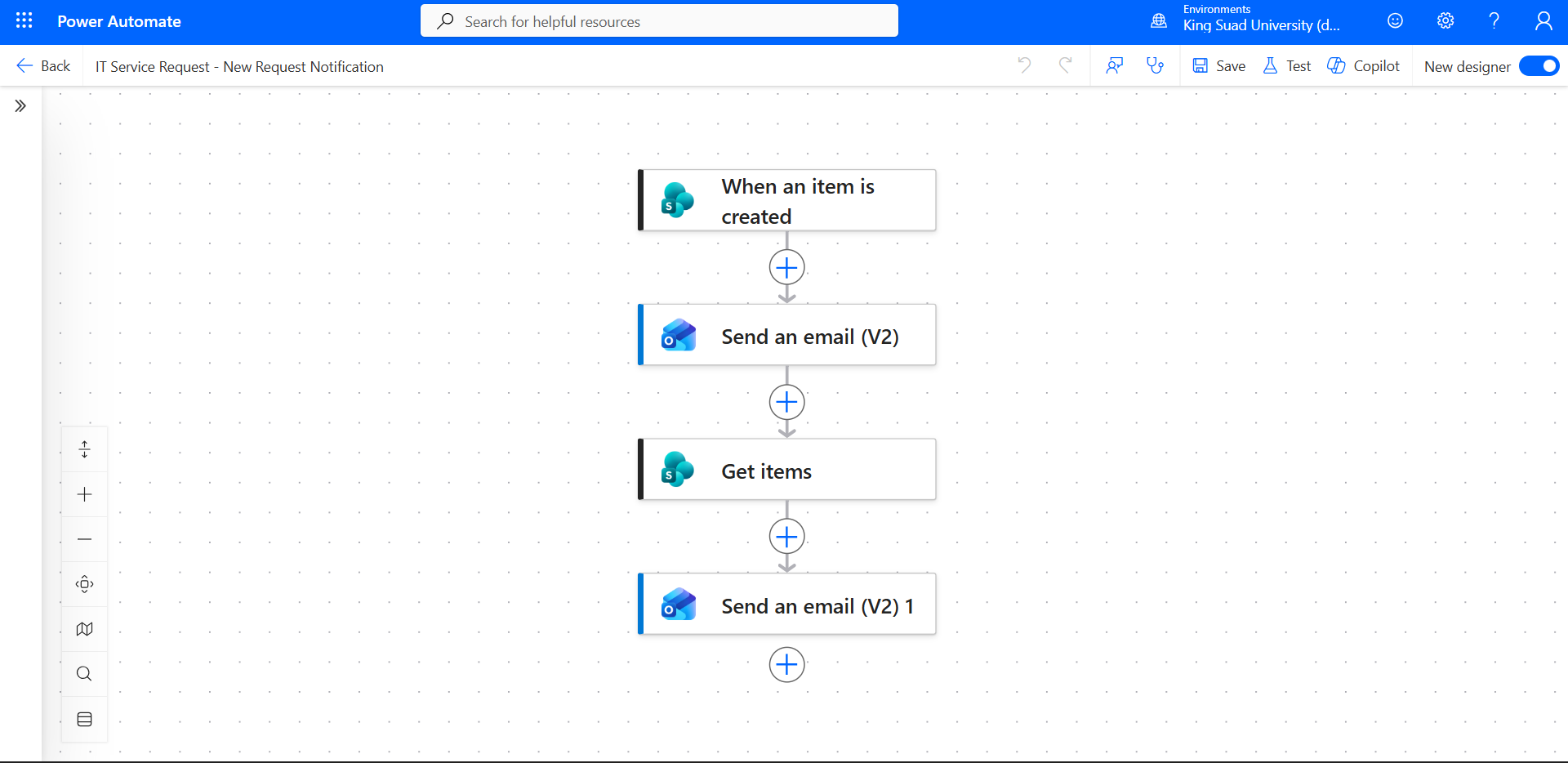
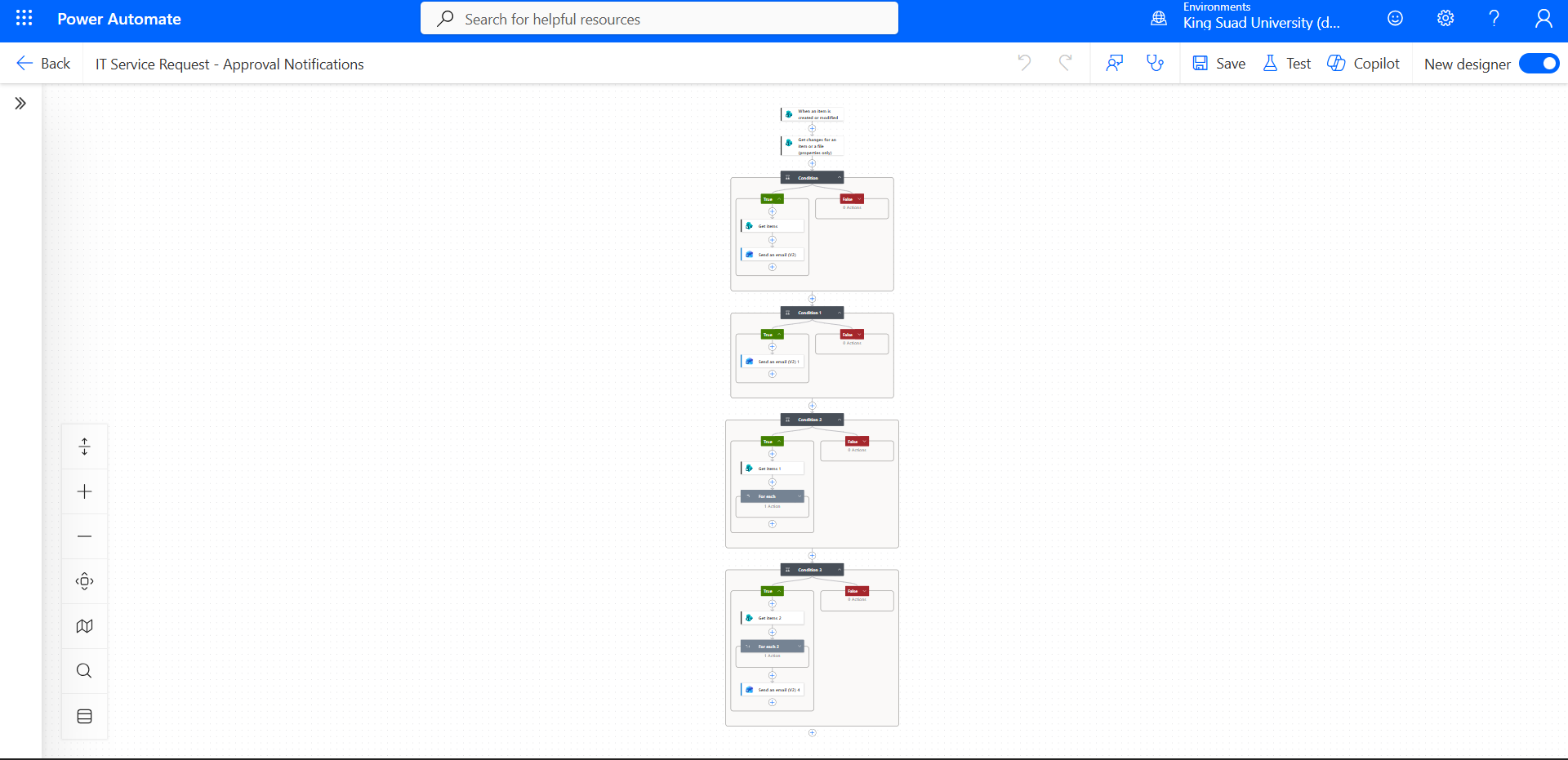
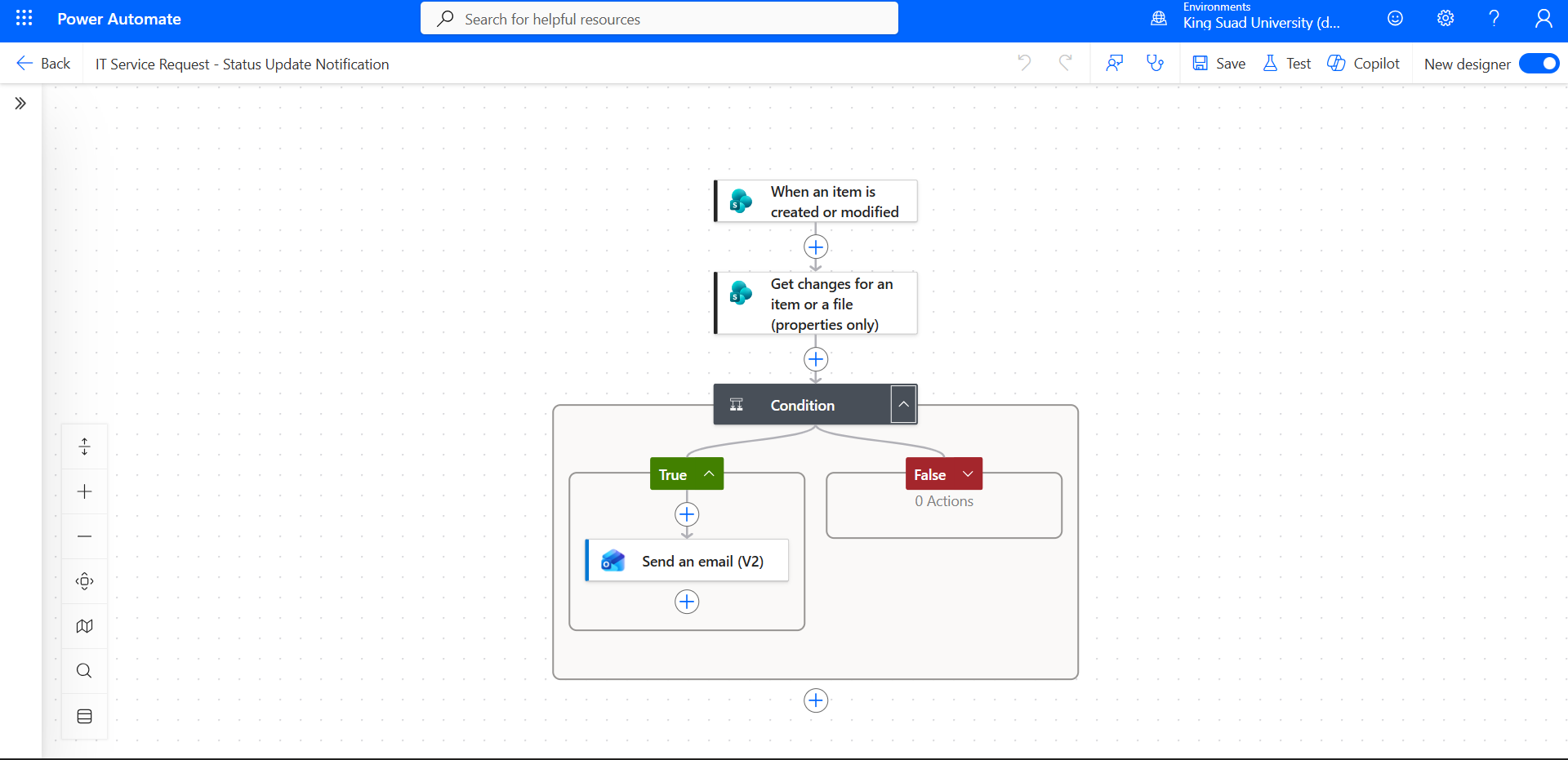
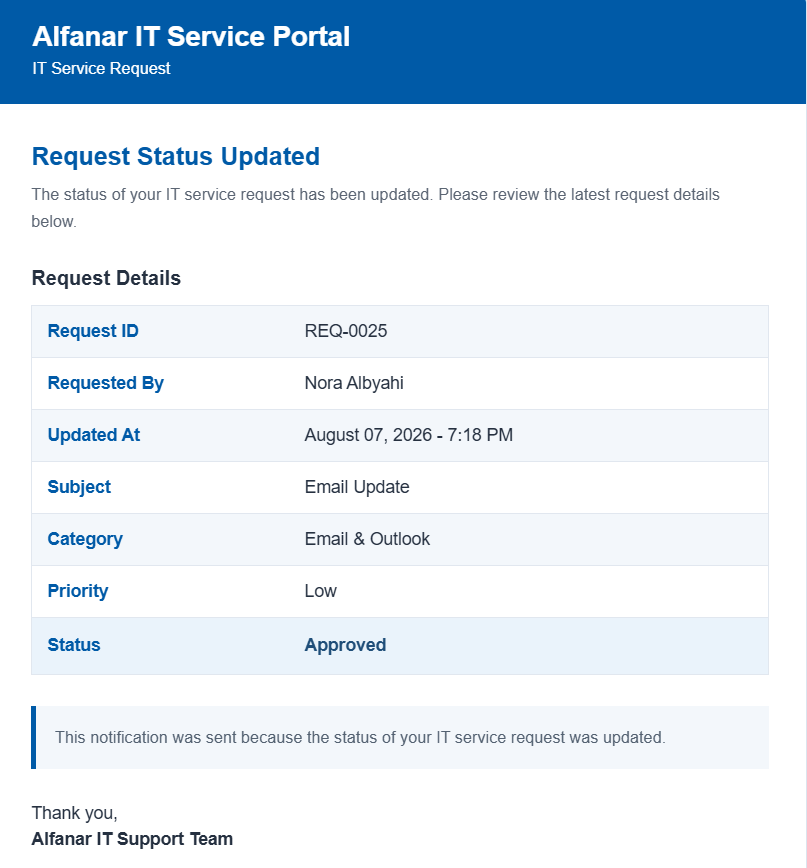
Created flows that react to SharePoint events and send structured email notifications for new requests, approvals, and status changes.
SharePoint Web Experience
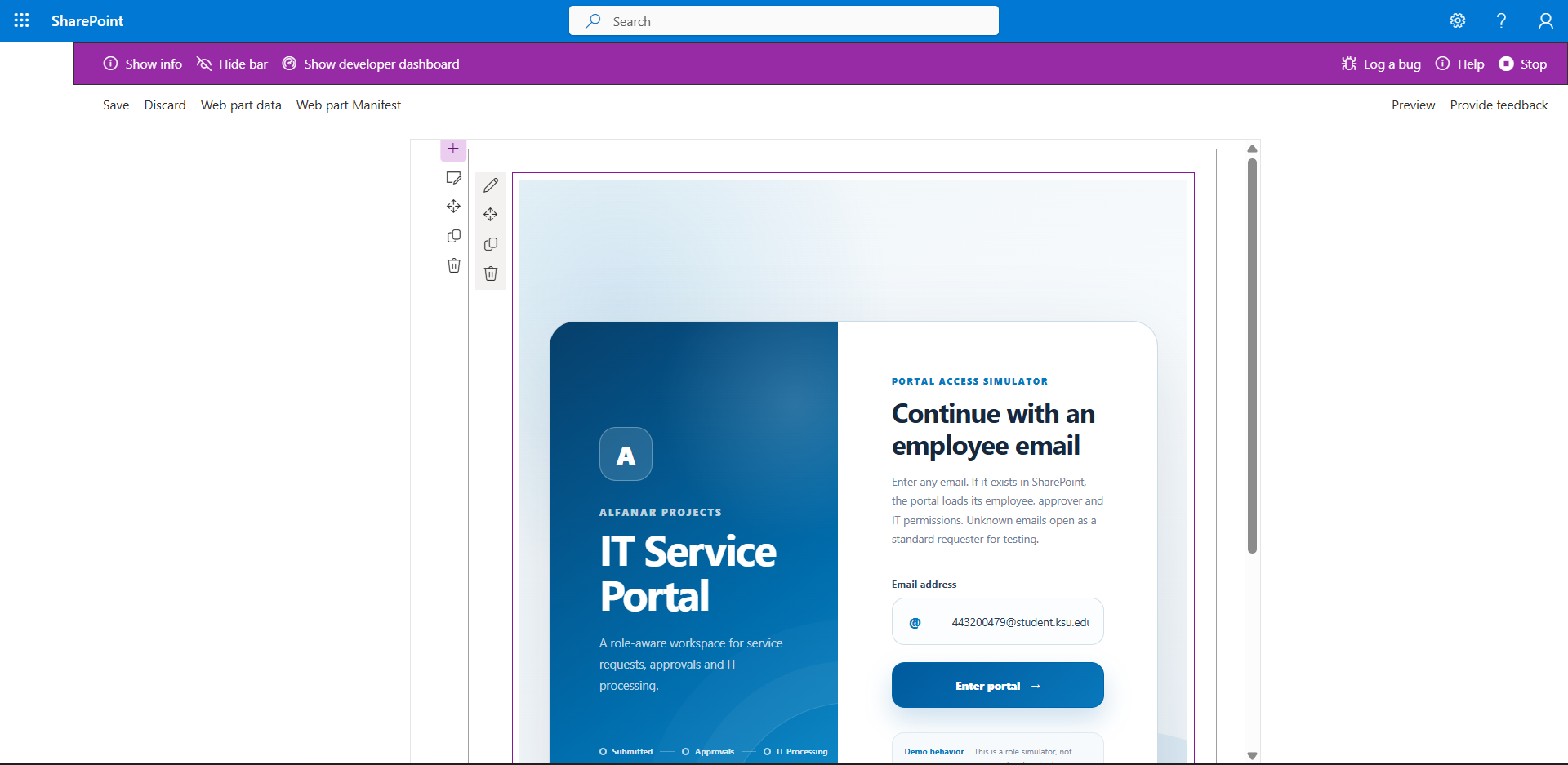
Rebuilt the same service concept as an SPFx web part while keeping the SharePoint-backed workflow logic. Because the university environment did not provide publishing permissions, I also created a standalone portfolio demo with mock data that mirrors the same interaction model.
Open live web demoWhat I took away
The biggest outcome was learning how to move between research, data, low-code tools, automation, SharePoint architecture, and web development while keeping the same business problem in focus.
Learn independently
Break unfamiliar tools into smaller problems and learn what is needed to move forward.
Think in systems
Connect interface, data, workflow, automation, and user roles instead of treating each tool separately.
Adapt the solution
Work around environment limitations while preserving the original logic and project value.
Certificate of Completion
Successfully completed the Information Technology Internship Program at Alfanar Projects Company.
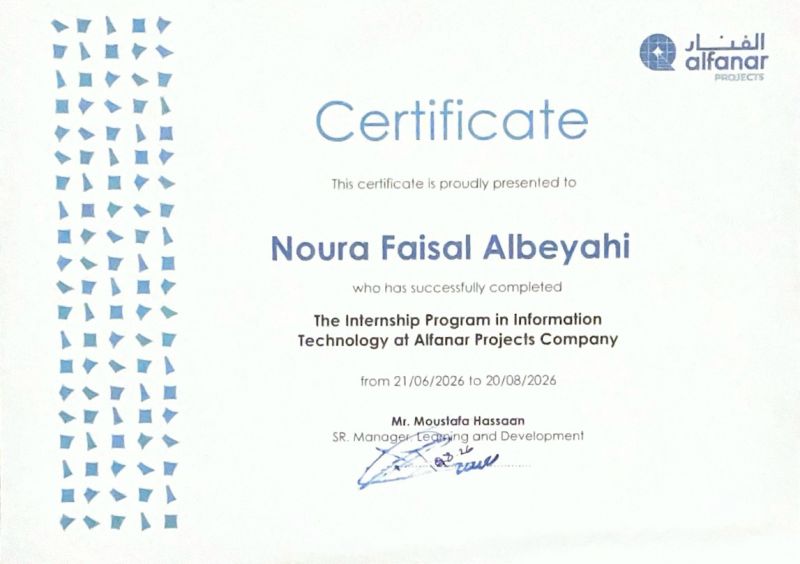 21 June – 20 August 2026
Explore the live work
Open the interactive Help Desk research or try the portfolio version of the IT Service Portal.